pattydobbin's pick · Updated June 2026
HP OmniBook 3 16 inch Laptop PC
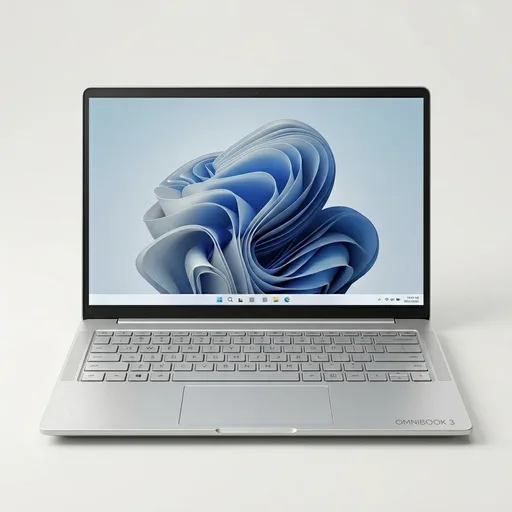

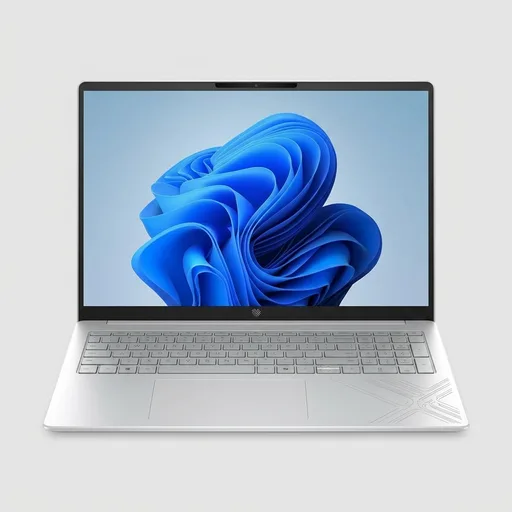
I set this laptop up as a general-use machine, and that is probably the clearest way to think about it. It is for someone who wants a big screen, a touch display, and enough everyday speed to get through work, school, bills, streaming, and a pile of browser tabs without feeling like the computer is fighting back. It is not trying to be a tiny travel machine, and it is not trying to be a flashy gaming rig. It feels aimed at the person who wants one laptop to do a little of everything and keep doing it without becoming a project.
What I like most is the balance. The 16-inch screen gives you room to spread out, and that makes a real difference if you spend a lot of time reading, typing, or keeping multiple windows open. A smaller laptop can feel cramped fast. This one gives you some breathing room, and the touchscreen adds a little convenience that you do not always appreciate until you have it. Scrolling through a page, opening a file, or tapping around a menu is just easier when you are not always reaching for the trackpad.
The everyday performance is the part that matters most here. With a Ryzen 5 processor, 8 GB of memory, and a solid-state drive, it has the kind of responsiveness most people actually need. It boots quickly. Apps open without a lot of waiting. Basic multitasking feels normal instead of frustrating. That is the real job of a laptop like this, and it seems built for exactly that kind of steady use. You are not buying it because it sounds exciting on a spec sheet. You are buying it because you want your computer to stay out of the way.
The storage size also feels practical. 512 GB is enough room for documents, photos, downloads, and the usual mess that builds up on a personal laptop over time. It is the sweet spot for a lot of people who do not want to think about running out of space every few weeks. The SSD helps the whole system feel quicker, too. Even if you are just opening a browser and a few work files, that speed is the sort of thing you notice every day.
Who this is for: students, office workers, people working from home, and anyone who wants a larger screen for normal life without buying something that feels overbuilt. It also makes sense for someone replacing an older laptop that has started to feel slow or cramped. If you mostly live in email, streaming, web pages, spreadsheets, and light photo work, this covers the ground well.
I do think the memory is the one place I would pause a little. 8 GB is fine for a lot of basic use, but if you are the kind of person who keeps a lot of heavy tabs and apps open at once, you may wish for more headroom. It is not a flaw for casual use, but it is the part that will matter most if your habits run heavier than average. That is the tradeoff I would keep in mind.
I also like that it reads like a normal laptop, not a gimmick. The design is plain in a good way. Glacier Silver sounds fancier than it looks, and that is fine by me. I would rather have a machine that feels calm and useful than one that tries too hard to impress from across the room. There is a certain comfort in that.
If I were recommending this to someone, it would be the person who wants a bigger screen, everyday reliability, and enough speed to avoid the usual laptop annoyances. I would not steer someone here if they needed a machine for heavy editing or more demanding work, but for regular home and work use, it makes sense. It is the kind of laptop I would tell a practical buyer to look at first, because it feels built for actual daily use rather than bragging rights.
Amazon product links on this guide are not currently affiliate links. Neither pattydobbin nor Buyer Field Guide earns an affiliate commission from them.
See current price